Saturday, April 12, 2014

Transparent Background on Google Presentation Images

Students are always looking for ways to add pictures into projects. Many times they grab an image from Google that's labeled for reuse, but the background scheme doesn't' match their project. Sometimes, it's bad enough to be a distraction. I discovered a great tool called Clippingmagic that can solve this problem.  The tool allows you to upload a photo and remove the background with a few simple steps.


Here is an image I borrowed  from a text book that I experimented with.


As you can see, there is a gross gray/blue background.

It is not all that distracting, but wouldn't it look better without that off center, off white block behind it?  I headed over to Clippingmagic, uploaded the previous photo, and within a few quick selections I converted the image into one with a transparent background. It's hard to really notice much difference besides the background. However, the background is transparent. Which means, if I were making a Google Presentation on DNA and needed a photo to fit into the theme of choice, the transparent background would fit anywhere. 


Here are some fairly hideous Google presentation themes with both images added. The one with the transparent background fits into any scheme and is much more pleasant on the eye, where the one with the gray/blue background, is annoyingly there, and is somewhat, in the way.


Here is an example from Clippingmagic's website on how easy it really is to make a transparent image. 


Next time your students want to add photos to a presentation, direct them over to Clippingmagic and adjust their photos so they work nicer with the flow of the presentation. 

Sunday, April 6, 2014

A Tool For PLC's, Teams, and other Educational Collaboration


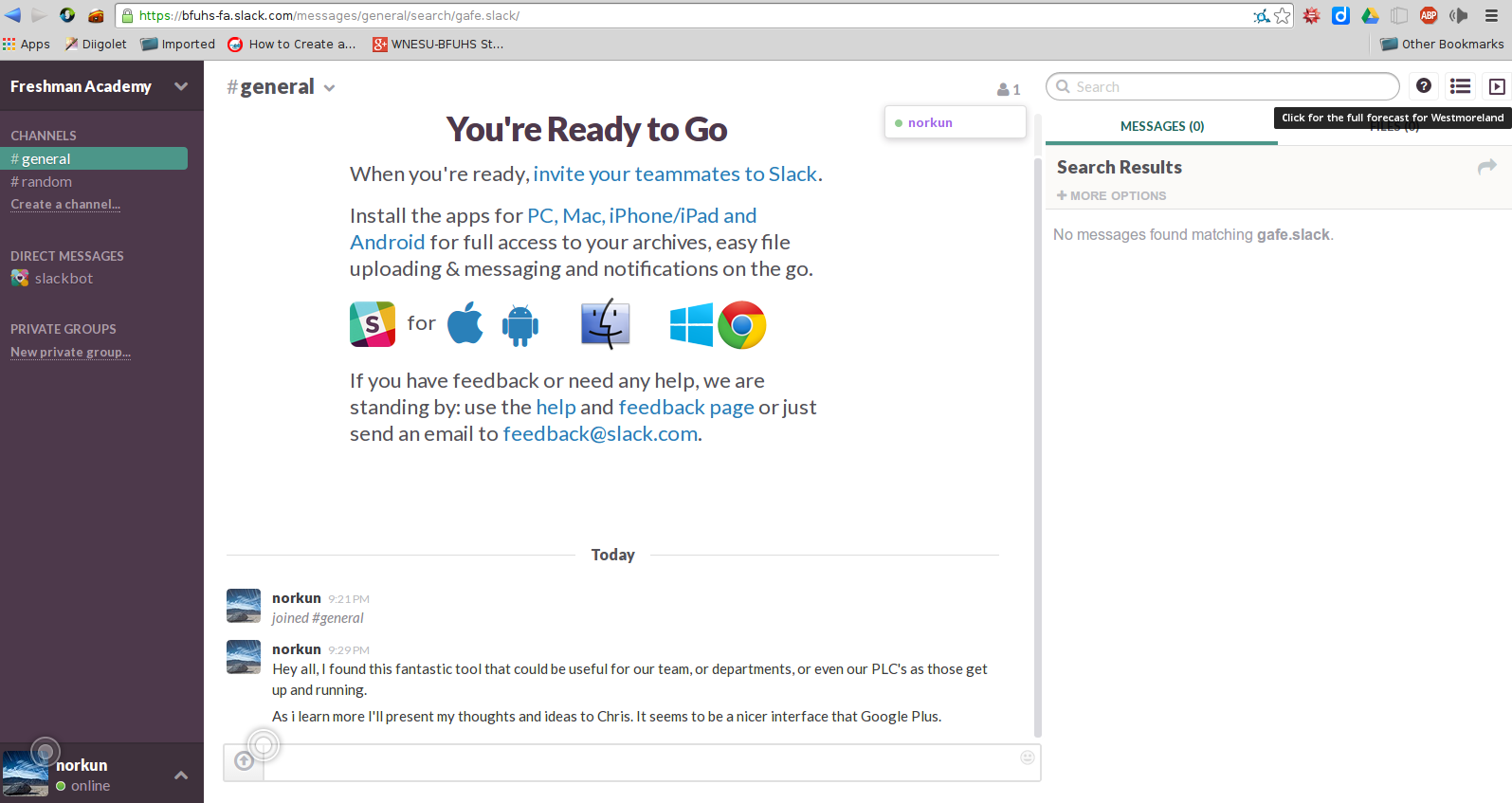
Here is a very useful tool for schools. I discovered this while clicking around on Google Plus. I was looking at other communities to get a better idea on how to create a community for a PLC, school team, or my department. I stumbled upon this gem; gafe.slack.com. Which made me curious, because I couldn't do anything without it trying to make me sign in. After some clicking and digging on the site I created my own account from here https://slack.com/ , and set up an interface for my team. 


As I was clicking around the site and becoming more familiar with the tool, it offered so much potential to work as a place for PLC's to communicate, share ideas, documents, files, plan meetings, schedule meetings, and more. It is very similar to a Google Plus community, but it is way easier to navigate, and mange than Google Plus Communities. The interface is pretty clean and well organized. There are various options for searching posts, and categorizing content. It just seems to offer so much potential to gather a team of educators in one virtual location. The layout just seems to flow like an RSS reader instead of a typical social media page. 


The settings as a 'team administrator' are very simple to use. Everything is organized and labeled intuitively, so it is very easy to make changes, add team members, link other apps like Google Drive and Dropbox. The tool just seems to offer so much potential to streamline education teams or PLC's to help foster more effcient meetings and hold on-going conversations. Take a few minutes and make an account and start exploring. It is really worth while. 


Thursday, April 3, 2014

Chronozoom

I mentioned ChronoZoom in an earlier post regarding its use for digital portfolios. I thought it might be useful to showcase the tool a little bit.

ChronoZoom is a wonderful timeline building tool. The interface and terminology takes a little bit to get used to, but with in about 5 minutes I made this really simple timeline. (The longest part was researching the release dates.)

With a little bit of research and some time, some significant timelines can be created, such as this one.

This tool has great potential to provide a 3D element to a students timeline. The research and presentation aspect offers a unique angle to better engage students. The next time you want or need students to be aware of specific dates, or sequence of events, try your luck at ChronoZoom, it is really fun to use.